![]() |
Desktop Backgrounds
From America’s Expert Source for Heirloom Flower Bulbs | My Basket |
|
|
|
|
|
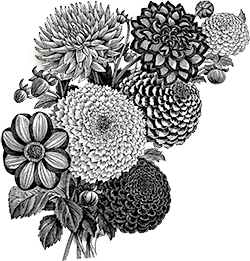
![]() | Our Back-Cover Bouquet small screen (800 x 600) medium screen (1024 x 768) large screen (1600 x 1200) |

| TO DOWNLOAD THIS PHOTO AND SET IT AS YOUR DESKTOP BACKGROUND: |
| FOR WINDOWS: 1) Click on the size of the image you want for your desktop screen. 2) Right-click on the full-size photo that appears, and select “Save Picture As.” 3) A “Save Picture” box will appear. Choose where on your computer to save the photo (and remember where you put it!). 4) Click Save. 5) Right-click anywhere on your desktop screen. 6) Select Properties. 7) Make sure you are on the Background tab (Desktop tab in XP), then click on the Browse button. 8) At the bottom of the box, use the dropdown menu to change Background Files to All Picture Files. 9) Find where you saved the photo to, highlight it, and click on the Open button. 10) Make sure Center is chosen under Picture Display. 11) Click OK. (If you are asked if you want to enable Active Desktop, click on yes). |
| FOR A MAC: 1) Click on the size of the image you want for your desktop screen. 2) Ctrl-click on the full-size photo that appears, and select Download image to disk. 3) Open the Appearance control panel. 4) Select the Desktop tab. 5) Drag the image onto the control panel. 6) Click the Set Desktop button. |
|
|
|
|
|
|
|
|
|
| For our print catalog click here or send $2.00 to Old House Gardens 536 Third St., Ann Arbor, MI 48103. phone: 734-995-1486 fax: 734-995-1687 email: charlie@oldhousegardens.com | For our free email newsletter, “The Friends of Old Bulbs Gazette” with tips, news, history, & special offers, send us an email with “subscribe” in the subject line to newsletter@oldhousegardens.com. |
|
| © 1993-2008, Old House Gardens. All rights reserved. | ||